Essential Considerations for Using Digital Conference Systems
Digital conference systems have become indispensable for remote collaboration, but their effectiveness hinges on proper setup and user awareness. Below are critical factors to ensure seamless virtual meetings, from technical preparation to security protocols.
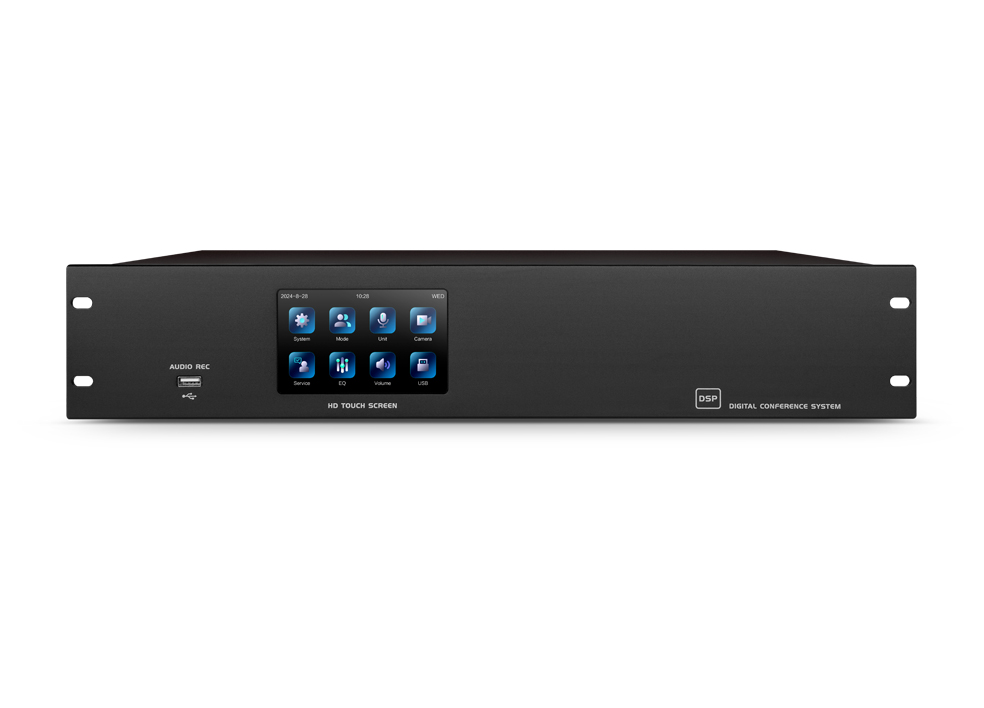
Pre-Meeting Technical Setup
1. Equipment Compatibility and Testing
Before initiating a session, verify that all devices—cameras, microphones, speakers, and network connections—are compatible with the chosen platform. Conduct a dry run to test audio clarity, video resolution, and screen-sharing functionality. For example, poor microphone placement or outdated drivers often lead to echoes or muted participants. A backup device, such as a secondary microphone or mobile hotspot, can mitigate sudden failures.
2. Lighting and Room Layout
Natural light from windows behind participants can create harsh shadows, obscuring facial expressions. Opt for diffused lighting from the front or sides, avoiding overly bright or dim environments. Additionally, ensure the camera captures a clear view of all attendees in group settings. Cluttered backgrounds or excessive movement may distract remote viewers, reducing engagement.
3. Network Stability
A stable internet connection is non-negotiable. Close bandwidth-heavy applications (e.g., streaming services) during calls and prioritize wired Ethernet over Wi-Fi when possible. For large-scale events, consider using a dedicated virtual private network (VPN) or content delivery network (CDN) to minimize latency. Participants joining from public networks should use encrypted connections to prevent data interception.
In-Meeting Best Practices
Managing Audio and Video Participation
Encourage all attendees to enable video to foster accountability and interaction. However, provide options to mute microphones when not speaking, especially in noisy environments. For hybrid meetings, distribute microphones evenly to ensure remote participants hear on-site discussions clearly. Use platform features like “raise hand” or chat boxes to moderate turn-taking and avoid overlapping conversations.
Screen Sharing and Content Distribution
Share materials in advance via cloud storage or collaboration tools to reduce on-screen clutter during presentations. When sharing screens, close irrelevant tabs or applications to prevent accidental data leaks. For interactive sessions, leverage real-time editing tools (e.g., shared documents) to keep participants engaged without disrupting the flow.
Handling Technical Disruptions
Designate a co-host to troubleshoot issues like frozen screens or dropped connections while the primary speaker continues. Familiarize yourself with platform-specific shortcuts (e.g., muting all participants) to regain control quickly. If a participant disconnects, use alternative channels like SMS or email to share updated links or instructions.
Security and Privacy Measures
1. Access Control and Authentication
Require passwords or waiting rooms for all meetings to prevent unauthorized entry. For sensitive discussions, enable end-to-end encryption and restrict screen-sharing permissions to hosts only. Avoid sharing meeting links on public platforms; instead, use calendar invites with embedded access codes.
2. Data Protection During Sessions
Disable automatic recording unless necessary, and inform participants beforehand if sessions are being saved. Store recordings securely with restricted access and delete them after a defined retention period. Be cautious when sharing files during calls—verify that attachments do not contain confidential information before distribution.
3. Post-Meeting Protocols
Review system logs to identify unusual activity, such as repeated failed login attempts. Update software and firmware regularly to patch vulnerabilities exploited by cybercriminals. Educate users on phishing tactics, such as fake meeting invites or malicious file downloads disguised as conference materials.
By addressing these areas proactively, organizations can minimize disruptions and create a professional, secure environment for digital collaboration. Continuous training and adherence to best practices ensure that both hosts and participants derive maximum value from virtual meetings.